Request a DOI
Before you can get a DOI for your dataset, it has to meet the ANC format requirements. Also see our Persistent Identifier Policy for more information.
Once you meet the requirements you can request a DOI by opening a new work item on your dataset project. A data steward will be notified and handle your request.
- Go to your project and open a new work item
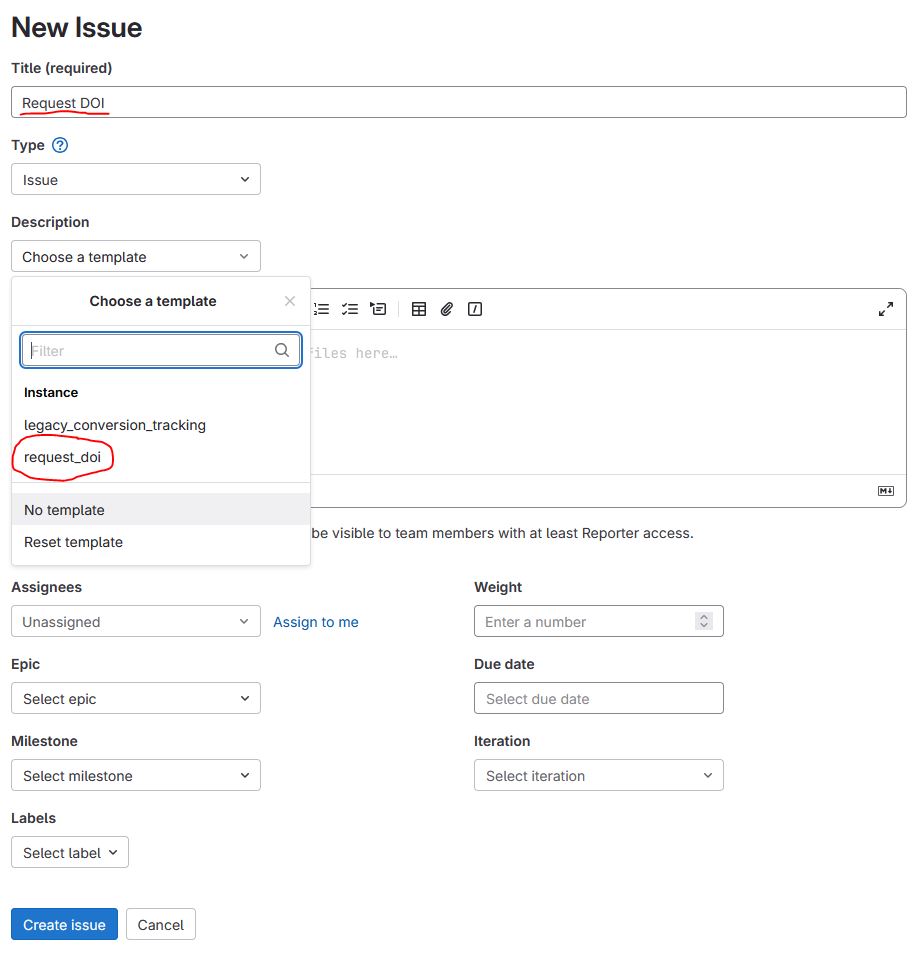
- Title your issue DOI request
- Under Description click Choose a template and select request_doi
- The template will appear in markdown. For easier editing you can select Switch to rich text editing under the issue description.
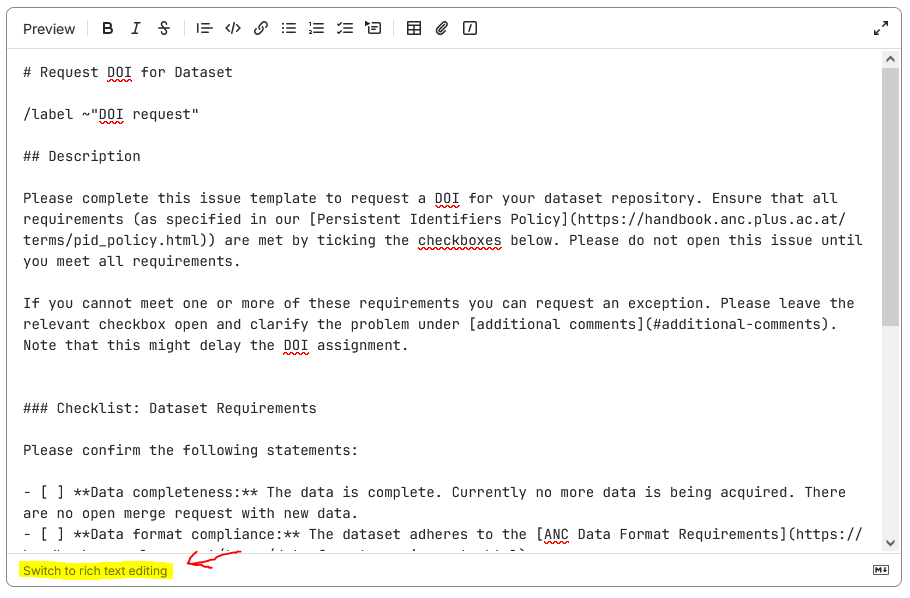
- Read the instructions, do not remove or edit them
- Complete the checklist
- If you need an exception, type an explanation under Additional comments
DOI requests are typically processed within one to two weeks. If you have not heard back after two weeks, please follow up by commenting on your issue.