Step 3 — Document Sequences
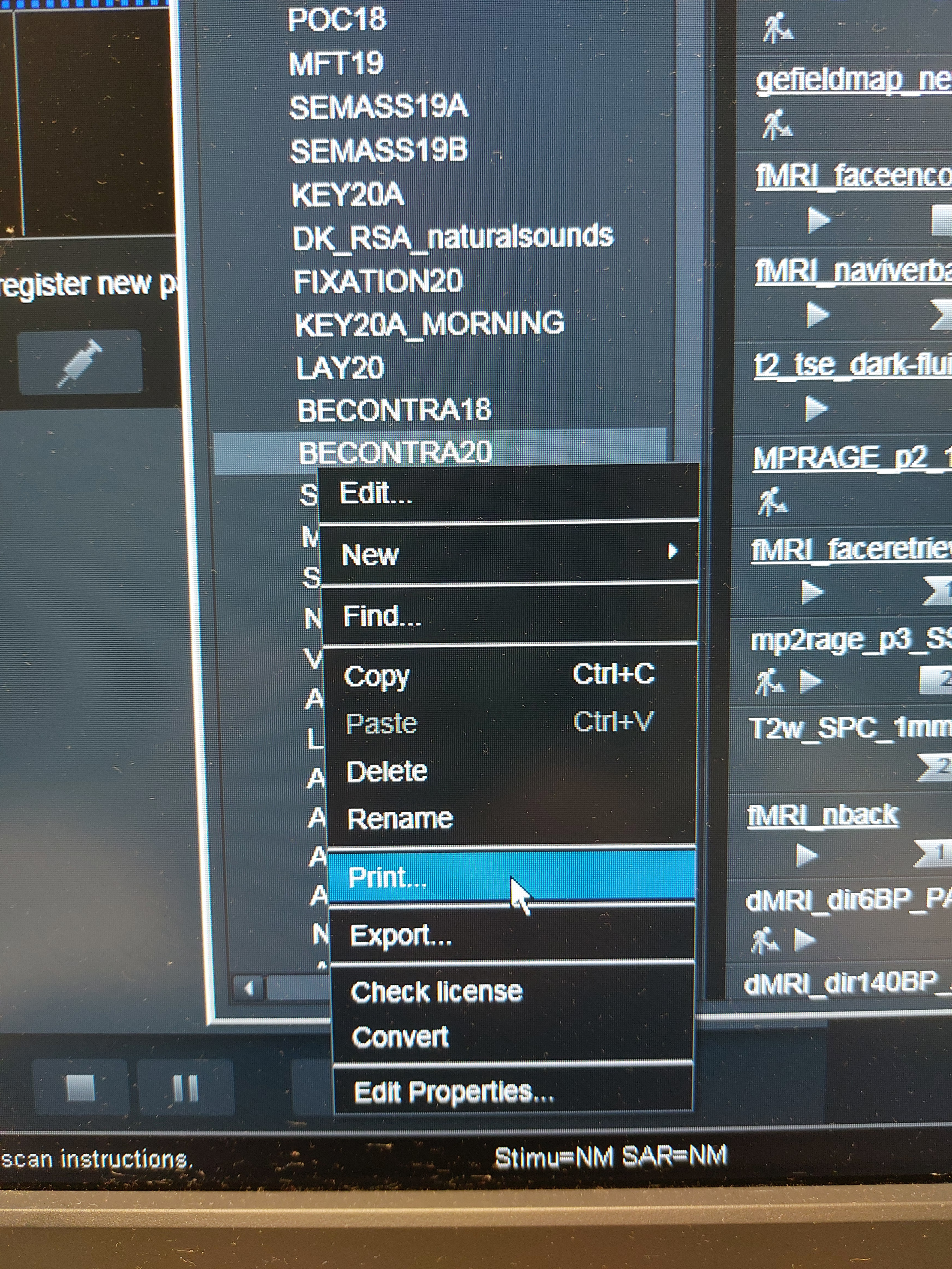
Documenting your sequences ensures the acquisition parameters are reproducible and transparent. Export a PDF from the scanner that contains all your sequences with their settings.
Export MRI sequences
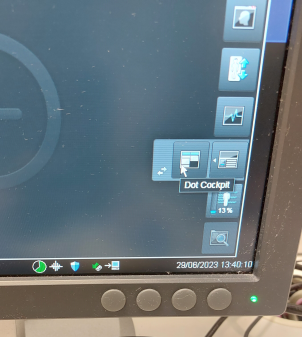
1. Open the Dot Cockpit
On the very right side of the screen in the lower segment there is a register button with a small white arrow to the side. Click the arrow and another menu point called Dot Cockpit appears. Click to open the Dot Cockpit.
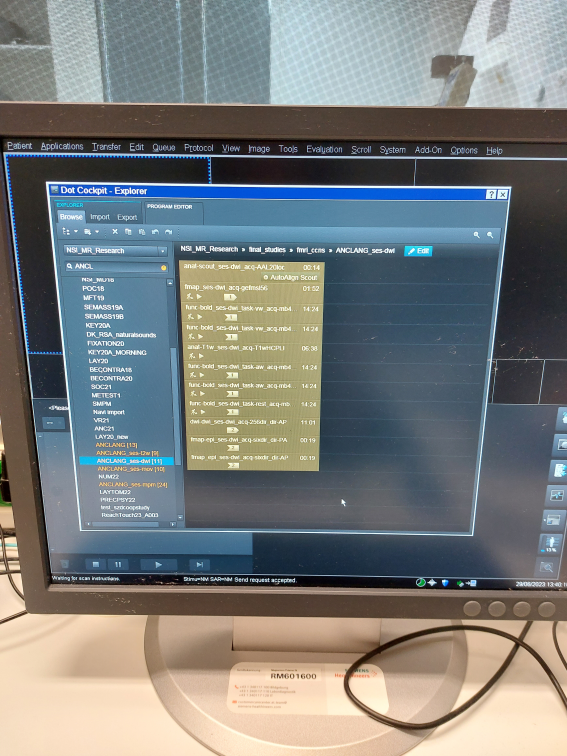
2. Find your project
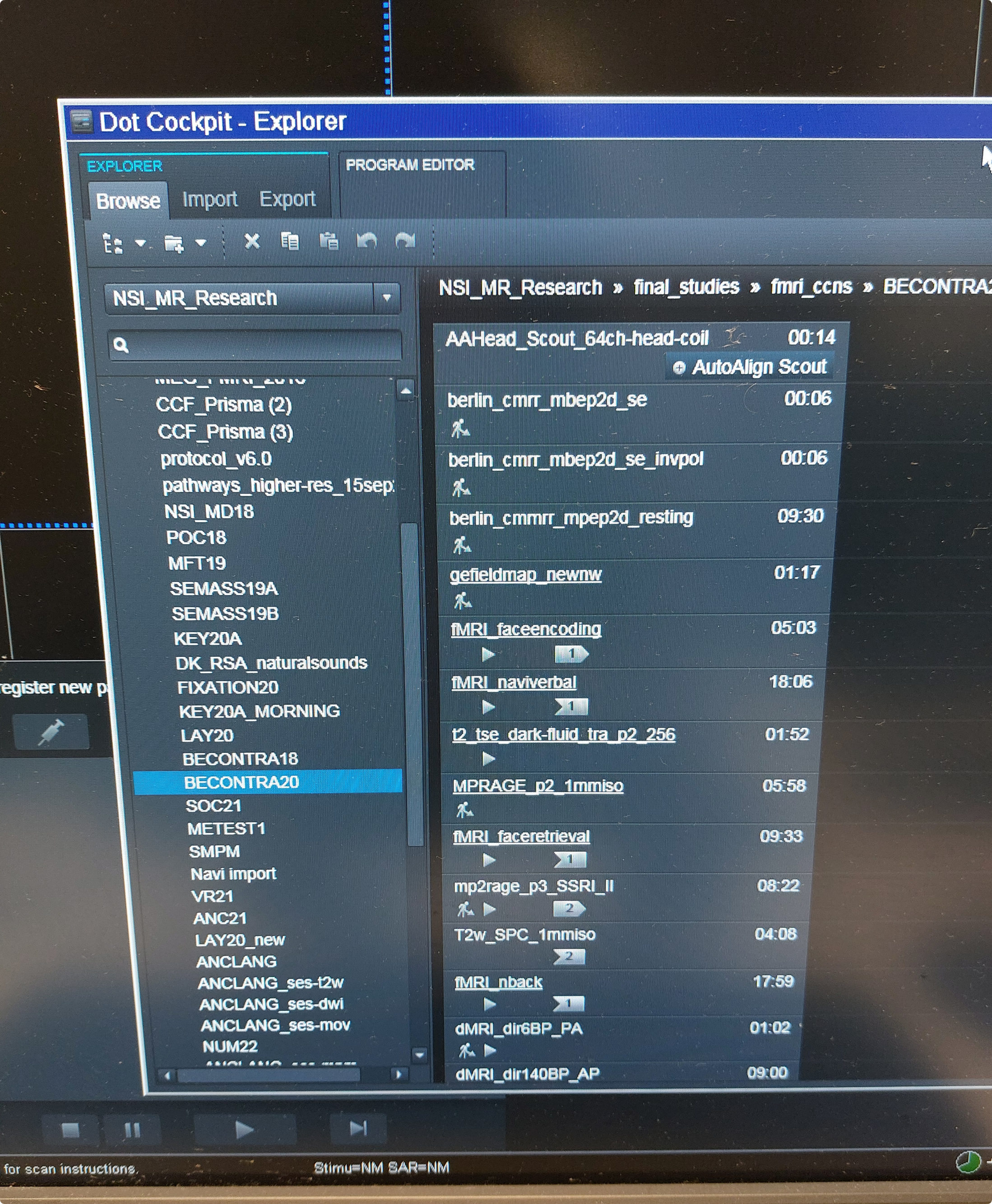
Find your project in the menu on the left and select the directory. Make sure to export all sessions of your project into one pdf file by selecting all relevant directories.
Store the file
The exported PDF will be stored in the sourcedata folder of your dataset project. How to upload files there is explained in the self-deposit guide.
Before you continue
- Sequence protocol has been exported as a PDF from the Dot Cockpit
- All sessions are included in the export
- The file is saved and ready to be uploaded to your dataset project